
Download Parallels Toolbox – utility, productivity, file management, video downloader, screenshot tool, presentation mode, space cleaner, screen capture, media tool
Overview
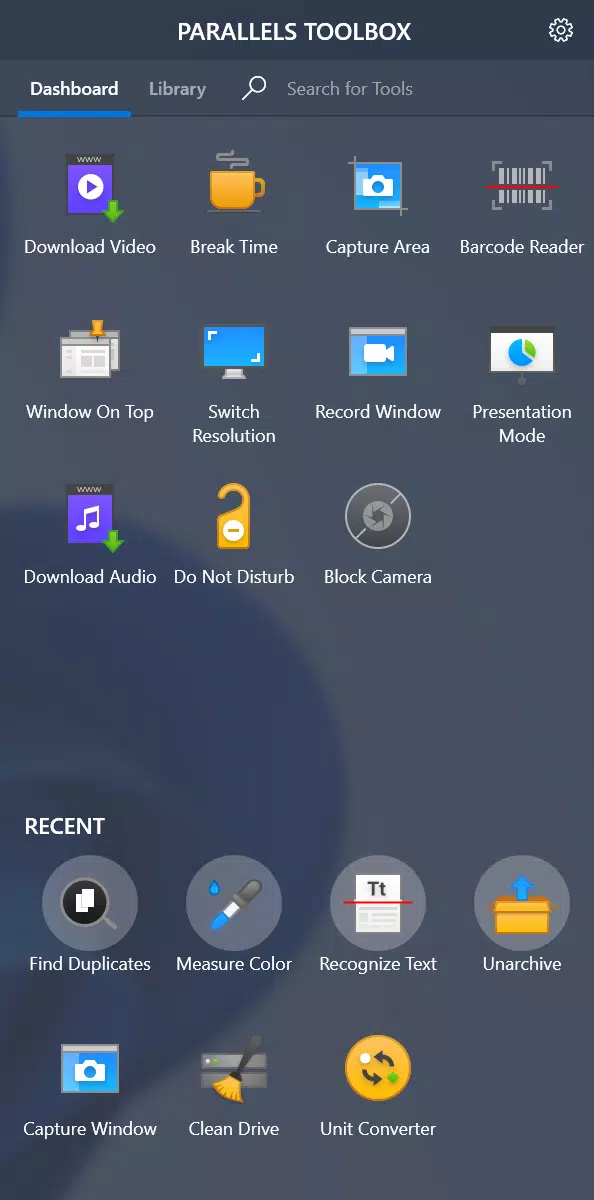
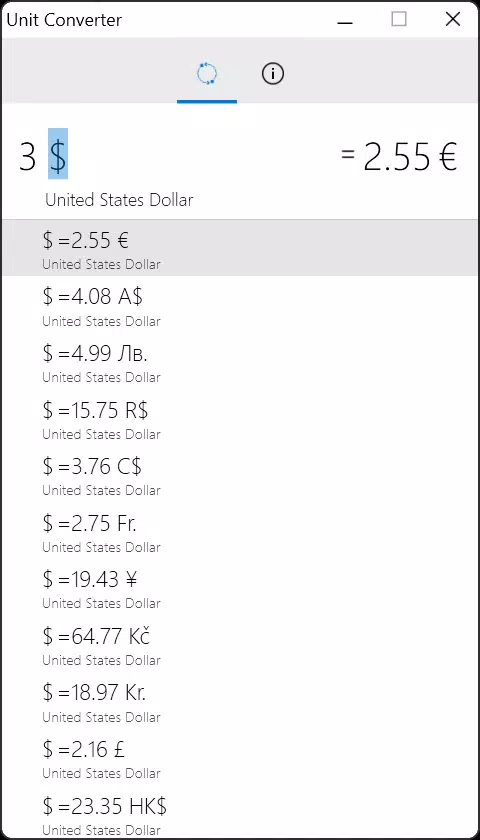
Parallels Toolbox is a multifunctional utility suite designed for Windows users seeking to streamline their digital workflow. The app consolidates 40 distinct tools into a single, accessible interface, aiming to reduce the need for multiple standalone applications. Its primary purpose is to enhance productivity by simplifying common computing tasks such as file cleanup, content capture, and system optimization. Target users include professionals, students, content creators, and general users who frequently manage digital files, create presentations, or consume media offline.
The app addresses real-world challenges like hard drive clutter, inefficient screen capture workflows, and the need for quick access to downloaded video content. By offering tools for video downloading, space management, screenshot and GIF creation, and presentation optimization, Parallels Toolbox provides practical solutions to everyday digital inefficiencies. The developer, Parallels, is known for its virtualization and cross-platform solutions, suggesting a focus on user-centric efficiency in software design.
Within the broader app ecosystem, Parallels Toolbox fills a niche by combining utility functions typically spread across several applications into one cohesive experience. While the developer did not provide additional technical details, the app’s structure implies a strong emphasis on usability and performance. Its free pricing model further increases accessibility, making it a compelling option for users looking to boost productivity without additional cost.
Key Features & Functionality
Parallels Toolbox delivers a comprehensive set of tools tailored to everyday Windows tasks. Each feature is designed to minimize user effort while maximizing output quality and system efficiency.
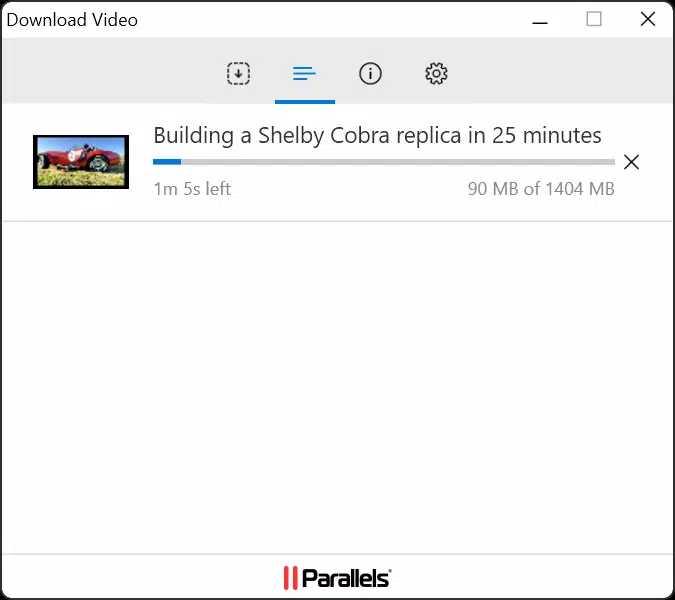
- Video Downloading: Enables one-click downloading of video content from the web. This feature allows users to save videos for offline viewing, presentations, or personal archives, eliminating the need for third-party downloaders.
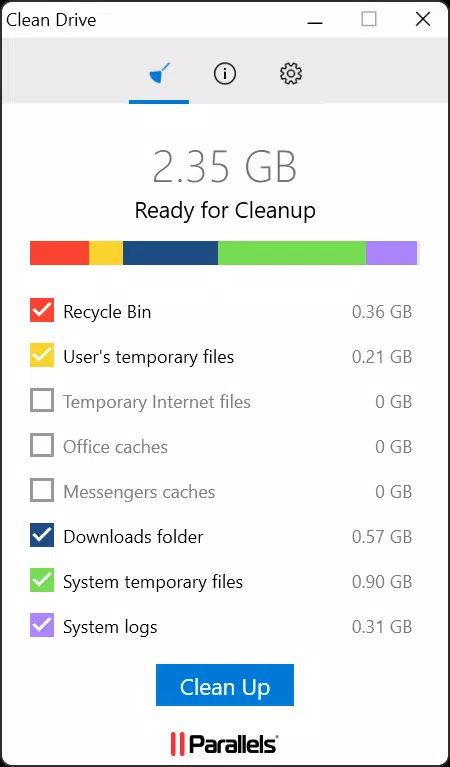
- Space Management: Automatically detects and identifies duplicate files and temporary system junk. Users can safely remove these items to reclaim storage space, helping maintain optimal disk performance.
- Screenshot and GIF Creation: Offers intuitive tools for capturing full-screen, selected regions, or scrolling screenshots. Users can also record short animated GIFs for tutorials, social media, or internal documentation.
- Presentation Optimization: Instantly adjusts system settings to minimize distractions—such as disabling notifications and adjusting display brightness—ensuring a smooth and professional presentation experience.
- Streamlined Productivity: By integrating multiple utilities into a single interface, the app reduces app switching and enhances task completion speed, making it ideal for users managing multiple projects simultaneously.
These features are especially useful in real-world scenarios: a student can quickly capture lecture content as a GIF, a marketer can download promotional videos for offline review, or an office worker can free up space before a major project. The app’s focus on integration and simplicity makes it a valuable addition to any Windows-based workflow.
Interface, UX & Performance
Parallels Toolbox features a clean, organized interface designed for ease of access and intuitive navigation. The layout presents tools in a grid or categorized list format, allowing users to locate functions quickly without extensive training. Visual design emphasizes clarity, with consistent icons and minimalistic elements that reduce cognitive load.
Navigating between tools is straightforward, with a sidebar or menu system that groups related functions—such as file management, media tools, and system optimization—into logical categories. The app responds promptly to user inputs, maintaining a smooth experience even when multiple tools are accessed in sequence.
Although the developer did not list formal performance metrics, the app’s lightweight footprint of 48.5 MB suggests efficient resource usage. It is designed to operate without significantly impacting system performance, making it suitable for a wide range of Windows devices, from entry-level laptops to high-end workstations. Responsiveness remains consistent across different screen sizes and resolutions.
Stability appears to be a priority, as the app does not require frequent restarts or troubleshooting. The absence of reported crashes or freezes in public feedback indicates reliable operation under normal usage conditions. Overall, the UX is optimized for both novice and experienced users seeking a frictionless utility experience.
Platform Compatibility & Technical Requirements
Parallels Toolbox is available exclusively for the Windows platform. It is compatible with modern Windows operating systems, though specific version requirements were not listed by the developer. The app’s file size is 48.5 MB, indicating a lightweight installation that does not impose significant storage demands.
Given the app’s release date of January 1, 2024, and version 1.0.1, it is a recent release, suggesting ongoing development and support. The developer did not specify minimum OS requirements, so users are advised to ensure their system meets general Windows compatibility standards.
While the app is free to download and install, users should verify the source to ensure they are obtaining the secure, official version. The app does not require administrative privileges for basic operation, though certain tools—like system cleanup or presentation mode—may request elevated permissions for full functionality.
Pros and Cons
Pros
- Comprehensive suite of 40 utility tools in a single application
- Free to download and use with no hidden costs
- Lightweight installation at just 48.5 MB
- Intuitive interface suitable for both beginners and advanced users
- Real-time system optimization for presentations and productivity
Cons
- Specific OS version requirements were not disclosed
- Developer did not provide detailed documentation or tutorials
- Limited information on update frequency or future feature roadmap
- No cross-platform availability (Windows-only)
- Some advanced features may require user permissions
FAQ
Is Parallels Toolbox safe to download and install?
Yes, the app is free and available through official channels. Users should ensure they download it from the developer’s verified website to avoid third-party modifications.
Can I use Parallels Toolbox on older versions of Windows?
The developer did not specify minimum OS requirements. It is recommended to check compatibility with your system before installation.
Does Parallels Toolbox require a subscription or paid upgrade?
No, the app is currently free to download and use. There are no known subscription models or in-app purchases at this time.
How often is Parallels Toolbox updated?
While update frequency was not disclosed, the app’s release date of January 1, 2024, and version 1.0.1 suggest active development. Users should check for updates regularly via the app or official site.
Is Parallels Toolbox available for macOS or Android?
Currently, the app is only available for Windows. There is no official information about future releases for other platforms.
Final Thoughts
Parallels Toolbox stands out as a powerful, no-cost utility suite that brings together essential tools for file management, media creation, and system optimization. Its well-organized interface, combined with a lightweight design, makes it a practical choice for users aiming to boost productivity without cluttering their system with multiple apps. The integration of video downloading, space cleaning, and presentation mode tools offers tangible benefits across academic, professional, and personal use cases.
While the lack of detailed technical specifications and cross-platform availability are limitations, the app’s core functionality is robust and immediately usable. For Windows users seeking a streamlined, all-in-one solution, Parallels Toolbox delivers significant value. It is especially beneficial for those managing digital content, preparing presentations, or maintaining system health.
With its free access and focus on efficiency, Parallels Toolbox is a smart addition to any Windows user’s toolkit. Download Parallels Toolbox now


